
supercopier
The advent of 5G technology marks a significant milestone in the evolution of the Internet of Things (IoT). Its low latency and enhanced bandwidth provide…
Supercopier: Enhancing File Transfer Speed and Efficiency on Modern Systems

The Role of Supercopier in File Management
Supercopier is a powerful file transfer utility designed to improve the speed, control, and reliability of copying and moving files on a computer. While operating systems already include built-in file transfer tools, many users find them limited when handling large files or complex transfers. This is where Supercopier becomes highly useful by offering enhanced performance and advanced features.
In today’s digital environment, where users frequently deal with large data sets such as videos, software files, and backups, having a reliable tool like Supercopier can significantly improve productivity. It provides better control over file operations and ensures smoother transfers even under heavy workloads.
How Supercopier Improves File Transfer Performance
The primary function of Supercopier is to optimize file copying and moving processes. It replaces the default file transfer system and introduces a more efficient engine that handles data transfers intelligently. This allows users to experience faster speeds, especially when working with large files or transferring data between different storage devices.
Supercopier also manages transfer errors more effectively. Instead of failing completely when an issue occurs, it allows users to pause, resume, or skip problematic files. This flexibility ensures that file operations continue smoothly without unnecessary interruptions.
Understanding Transfer Control Features
One of the key advantages of Supercopier is the level of control it provides. Users can pause ongoing transfers, resume them later, or prioritize certain tasks. This is particularly useful when multiple transfers are running at the same time. By giving users control over how files are moved, Supercopier makes file management more efficient and user-friendly.
Key Capabilities of Supercopier
Supercopier offers a variety of features that enhance the overall file transfer experience. It provides detailed progress information, allowing users to monitor transfer speed, remaining time, and data size. This transparency helps users plan their tasks more effectively.
Another important capability of Supercopier is error management. Instead of stopping the entire process due to a single issue, the software allows users to decide how to handle errors. This ensures that large transfers are completed without unnecessary delays.
Additionally, Supercopier supports queue management, enabling users to organize multiple transfers in a structured manner. This feature is particularly useful for professionals who work with large volumes of data regularly.
Why Supercopier is Useful for Everyday Users
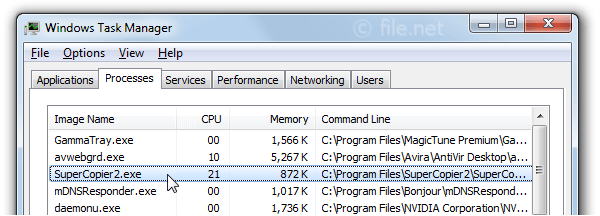
For everyday computer users, Supercopier provides a more reliable and efficient way to manage files. Whether transferring personal data, organizing folders, or backing up important information, the tool simplifies the process.
Many users experience slow speeds or interruptions when using default file transfer systems. Supercopier addresses these issues by offering improved performance and stability. Its user-friendly interface ensures that even beginners can use it without difficulty.
Supercopier in Professional Environments
In professional settings, Supercopier becomes even more valuable. IT professionals, video editors, and data managers often handle large files that require efficient transfer solutions. The ability to control and monitor transfers makes Supercopier a practical tool for such environments.
Organizations that rely on data management benefit from the reliability of Supercopier, as it reduces the risk of incomplete transfers and data loss. By improving efficiency, the software helps professionals save time and maintain productivity.
Handling Large Data Transfers
One of the standout features of Supercopier is its ability to handle large data transfers smoothly. Whether copying high-resolution videos, software packages, or backups, the tool ensures consistent performance. This makes it ideal for users who regularly work with large files.
User Experience and Interface Design
The interface of Supercopier is designed to be simple and intuitive. Users can easily track their file transfers and make adjustments as needed. The clear display of information ensures that users always know the status of their operations.
Despite offering advanced features, Supercopier maintains a clean layout that avoids unnecessary complexity. This balance between functionality and simplicity makes it accessible to both beginners and experienced users.
Educational Value of Supercopier
Using Supercopier also provides educational benefits for users who want to understand file management better. By observing how transfers are handled, users can learn about data flow, transfer speeds, and system performance.
For students and learners, Supercopier serves as a practical tool to explore concepts related to computer storage and data handling. This hands-on experience enhances understanding and builds technical skills.
Common Challenges and Practical Solutions
While Supercopier offers many advantages, users may encounter challenges such as compatibility issues or initial setup difficulties. These challenges are usually minor and can be resolved with basic troubleshooting.
Understanding how to configure settings and manage transfer queues can further improve the experience. With regular use, users become more familiar with the software and can take full advantage of its features.
Who Should Use Supercopier
Supercopier is suitable for a wide range of users. Students can use it for managing study materials and projects. Professionals benefit from its efficiency in handling large data transfers. Casual users can rely on it for organizing personal files and backups.
Because of its flexibility and ease of use, Supercopier is an excellent choice for anyone looking to improve their file transfer experience.
Conclusion: Why Supercopier Remains a Valuable Tool
In conclusion, Supercopier is a powerful and practical solution for improving file transfer speed, control, and reliability. Its advanced features, combined with a user-friendly interface, make it an essential tool for both everyday users and professionals.
By using Supercopier, individuals can manage files more efficiently, reduce transfer errors, and save valuable time. As digital data continues to grow, tools like Supercopier will remain important for ensuring smooth and effective file management in modern computing environments.